Archive for the ‘Media Arts’ Category

h1

Another Arts Teachers’ Story: Shalimar Poulin

July 17, 2012

Featuring one teacher’s journey as an educator

This is the 18th in a series of blog posts telling arts teachers’ stories. This series contains a set of questions to provide the opportunity for you to read educators stories and to learn from others.

Shalimar Poulin teaches at Wiscasset High School (RSU 12), grades 9-12. She has been teaching for 18 years. Prior to Wiscasset High School for the last year she taught at Gardiner Area High School for 8 years, 3 years at Hyde Schol in Bath, and 6 years in suburban Philadelphia. At WHS she teaches Draw/Paint, Printmaking, Art Revolutions (Art History- inspired Art-making class), Digital Art, Ceramics, Sculpture. Shalimar has served on the leadership team for the Maine Arts Assessment Initiative.

What do you like best about being an art teacher?

It comes naturally to me, always has. Harvesting the belief that all people can practice creativity, can learn the skills of making quality art, and one does not have to be talented to enjoy art-making. This belief is something that works best when discovered first hand; however, learning vicariously through one’s child can change limiting perceptions of art making.

Tell me what you think are three keys to ANY successful arts ed program?

  1. Community attitude towards art (including administration, teachers, staff, students, parents and community at large). One does not necessarily need to be 100% gung ho art, but must have a curiosity, positive learning attitude, and a willingness to accept changes in art education.
  2. Art teacher dedication, commitment, quest for doing one’s best.
  3. The establishment and maintenance of a flexible learning environment where teacher and students learn together, where guidelines are clear and open to interpretation and the door is open for extended-learning and community visitation.

What specific way(s) do your assessment practices tie into the success of your program?

I can’t be sure that it is successful. Right now, it is a lot of work. I hope at some point to better manage the long out-of-class hours I spend on creating quality assessments, modifying quality assessments, providing quality evaluation and feedback to students, and the one I am least successful at- timely feedback. The assessment tools I use are: (1) project rubrics (that ask students to self reflect on their work, modify project goals to suit their interest, and clear teacher and peer feedback for improvement), (2) bi-weekly exit slips- a substitute for quizzing, including: comments about learning and activities, class participation and effort, teacher and self ratings, art language exercises, hopes for upcoming weeks, feedback for teacher (3) start-up questions- discussion questions posed to students to answer individually, in pairs, or groups depending on the pre-start up activity. Usually there is an out-of-class expectation of sorts- read a google doc, visit a blog, do an activity to reinforce learning such as a 10 minute or less class start-up questions. (4) artfolio development and presentation checklist and rubrics (photographing, writing and revising student artist writings and storing, filing and posting of electronic files to student g-site artfolios),  (5) critique preparation, discussion, and reflection 

Next year I am going paper-less with all non-art activities. I am using an on-line classroom called Canvas (supported by our tech integrator). I am looking forward to this practice and I believe it will improve student’s tendency to resist “paper-work” and “academic” activities in art class. I also am certain it will stream-line evaluation such that the required time will be reduced.

What have been the benefits in becoming involved in the arts assessment initiative?

Collaboration- sharing stories, problem-solving together, shop talk. Working with leaders in Maine State Arts Education- kind, thoughtful, energetic, movers and shakers.

What are you most proud of in your career?

The life skills I share with students by example and through the making of art: work ethic, problem solving, commitment to completion, risk taking, development of creative self, allowing a project to take time (not everything we do need be instant gratification). Turning kids on to something they believed they had no aptitude for- the skills of art making.

What gets in the way of being a better teacher or doing a better job as a teacher?

A growing epidemic of the failings of the education system being blamed on those of us in the trenches- teachers. The lack of parent involvement in the lives of their children. The failure of educational consultants and school administration to interview and honor their greatest resource- teachers. The troubled economy and instability of arts place in the future of education. Students who make it their main mission to defy authority (who fail to see we have their backs and want the best for them).

Apple or PC?

Apple

What have you accomplished through hard work and determination that might otherwise appear at first glance to be due to “luck” or circumstances?

Nothing. It seems all that I have perceptively succeeded in has come from hard work, determination, working with others, and intentional moving and shaking. I will say, I have been lucky to be invited to work in some interesting schools and I have had the privilege of working with some amazingly outstanding students. These blessings were not a function of my efforts, they are providence.

Look into your crystal ball: what advice would you give to teachers?

Please don’t consider art an exception to the rule. When our peers in the core disciplines are asked to make changes, meet new standards, jump through hoops, JOIN THEM- be an example of change. Validate what we do as being part of current educational trends. Expect our administrators to include us in all requirements.

If you were given a $500,000.00 to do with whatever you please, what would it be?

I would ask for more money because 500 is a spit in the bucket. Then, I would build and open a state of the art after-school arts center for children ages 4-18. I would include disabled adults as well. This center would be the equivalent of a magnet school for the visual and performing arts- only less formal. It would offer students enrichment, a place to be after school, and the opportunity to create life-time habits in creativity. It would have all the ideal facilities I have ever dreamed of and never had. I would link it to a community center (YMCA maybe) that also offers exercise programming. I would close it in the summer so that I could continue to devote time to personal art-making. Besides there are so many great summer programs already established for young people. I would have a massage once a week, schedule my loved ones for a once a week massage and hire a personal chef and a sherpa. I would establish a college fund for my nieces and nephews. I would by a place on the water.

Websites that Shalimar recommends:
https://sites.google.com/a/svrsu-whs.org/whs-artland-ms-poulin/home

https://sites.google.com/site/arteducatorshalimarpoulin/

http://artjunction.org/blog/?tag=arted-20

http://arted20.ning.com/

http://www.teachingarttoday.com/Teaching_Art_Today/Home.html

http://greenwoodstudiogroup.com/shalpoulinabouttheartist.html

http://www.facebook.com/pages/Shalimar-Corneille-Noire

http://www.artsonia.com/

Thank you Shalimar for sharing your story.

h1

ACTEM

June 22, 2012

Great opportunity

The Association of Computer Technology Educators of Maine (ACTEM) is a well-established organization that crosses over all content areas with a focus on helping its’ members achieve their goals utilizing technology effectively.

The benefits are enormous and all for a $20.00 individual membership. They have several professional development opportunities during the year and are continuously improving what they offer. Every time I read their newsletter I learn something valuable.

The ACTEM conference is scheduled for October 11 and 12 this year and is held at the Augusta Civic Center. Some districts make the day a PD day so all of their teachers can hop on school buses and attend the conference together. There are three national top-notch speakers scheduled David Warlick, Steven W. Anderson, and Christopher Tully.

Member benefits include:

  • Eligible to apply in advance for up to $400 in professional development reimbursement you pay for personally
  • $20 discount on MAINEducation Conference registration for October 12
  • Eligible to participate in ACTEM-sponsored trainings
  • Quarterly newsletter and luncheon at ACTEM Business Meetings
  • Eligible to purchase some software titles where applicable
  • $50 for lifetime membership for retired ACTEM members (does not include $400 Professional Development reimbursement rights)

Call 1-866-99-ACTEM to renew with a credit card. Form and additional info at JOIN ACTEM at actem.org

The Maine Arts Assessment Initiative appreciates the support from ACTEM.

h1

Media Release

May 24, 2012

1,000 students with laptops make music, learn

ORONO – What do you get when you put 1,000 students with laptops in the Collins Center for the Arts at the University of Maine in Orono? Music, literally.

At this year’s Maine Learning Technology Initiative Student Conference at the University of Maine on Thursday, students learned about innovative ways they can use their state-issued laptops.

During the afternoon “uber session,” students turned their laptop keyboards into musical keyboards and performed a world premiere musical composition, along with 12 live musicians on stage, and two members of the New World Symphony playing live from Miami. Some of the students had used software available on their MLTI devices to pre-program their machines to create their own recording of a full octave of notes – using anything from the sounds of birds to objects around the house or digital sounds of their own making. All – including those with no musical experience at all – contributed to the performance.

“We’ve done some pretty cool stuff at the uber session in years past,” said Jeff Mao, director of learning technology for the Maine Department of Education, which organized the event with Apple, the University and other partners. “The student energy and engagement this time topped them all.”

The New England School of Communications greatly enhanced the event by providing wall-to-wall video and audio coverage, some of it projected live on a large screen, all of it to be available for posting online and in future promotion.

The annual conference, now in its ninth year, is a way to generate energy and excitement about using technology to enhance learning. It’s also a way to give middle school (and some high school) students a glimpse into college life: students navigate themselves to breakout sessions around campus and eat in one of the school’s dining halls.

Helping students use technology to develop their own learning plans and to enhance their learning experiences is a cornerstone of the Maine DOE’s strategic plan, unveiled by Education Commissioner Stephen Bowen in February.

“We need to put students more in charge of their own learning,” Bowen said. “Technology is one way to do that.”

Students started the day with three student keynote speakers who addressed the entire gathering. Tim Walsh, a freshman at Kennebunk High School, shared how he leveraged his access to his MLTI MacBook to become a design professional along with a team at Middle School of the Kennebunks. Emily & Katie Morse, juniors at Machias High School, talked about their experience studying Japanese through an online course via their MLTI MacBooks to meet their world language graduation requirement.

Students then spread out across campus for more than 20 breakout sessions on everything from video game design with Scratch (software) to tips on using GarageBand music-making software to developing smartphone apps and searching for planets.

And it was all live-tweeted by students from Auburn Middle school using the Twitter hashtag #mlti2012.

All Maine Department of Education news releases can be found online at:
http://mainedoenews.net/category/news-views/press-releases/.

h1

Tomorrow at UMaine

May 23, 2012

Media Update from MDOE: Laptops, music, Orono – May 24th

What do you get when you put 1,000 students with laptops in the Collins Center for the Arts at the University of Maine in Orono? Music, literally.

This year’s Maine Learning Technology Initiative Student Conference will feature an “uber session” in which students will turn their laptop keyboards into musical keyboards and perform a world premiere musical composition, along with 12 live musicians on stage, and two members of the New World Symphony playing live from Miami. Each student has used software available on their MLTI devices to pre-program their machine to create their own recording of a full octave of notes – using anything from the sounds of birds to objects around the house or digita sounds of their own making. MLTI staff will capture the culminating performance and release audio and video to the public shortly after the performance.

Highlights
9:10 – 10:25 a.m. Three student keynote speakers will address the entire gathering. These student presentations are typically well polished and inspiring and help illustrate the ways in which technology can enhance the learning experience for students. Tim Walsh, a freshman at Kennebunk High School, will share how he leveraged his access to his MLTI MacBook to become a design professional along with a team at Middle School of the Kennebunks. Emily & Katie Morse, juniors at Machias High School, are studying Japanese to meet their world language graduation requirement at Machias High, and they are doing it online through Brigham Young University in Salt Lake City, Utah via their MLTI MacBooks, and will talk about their experience.
10:40 – 11:40 a.m. Morning sessions on everything from video game design with Scratch (software) to tips on using Garage Band to developing smartphone apps and searching for planets. These sessions are held around campus.
1 -2 p.m. The uber-session, described above. The students are always pretty jazzed about this session (the activity varies each year) and from a photo perspective, you’re not likely to find better than this – with 1,000 students gathered with their laptops and working collaboratively on a project. (Tech geek note: getting the two live musicians from Miami linked in is a huge technical achievement requiring a robust network infrastructure implemented by Networkmaine specifically for the event. While there will be a slight delay in the video, the audio will be precisely in time with the group at UMO, something that was formerly almost impossible to execute.)
You might also want to catch up with the student tweeters: Students from Auburn Middle school will be live-tweeting the entire conference using the Twitter hashtag #mlti2012
Now a decade old, MLTI puts laptops in the hands of all Maine seventh and eighth graders and a majority of high-school students. The program focuses not on the technology itself, but on using technology as an integral part of student learning.

DETAILS AND MORE INFO

WHAT
9th annual Maine Learning Technology Initiative Student Conference
View the schedule of events: http://www.maine.gov/mlti/studentconference/index.shtml

WHERE
University of Maine at Orono

WHEN
Thursday, May 24, roughly 8:30 a.m. to 2:30 p.m. Suggested events, as noted above, at 9:10 a.m. (Collins Center), 10:40 a.m. (various) and 1 p.m. (Collins Center)

h1

35th Annual Maine Student Film and Video Festival

May 3, 2012

Now accepting submissions

35th Maine Student Film and Video Festival
Deadline for Entries – Entries must ARRIVE by June 1, 2012

Public Screening and Awards Presentation July 21st, 2012

Grand Prize: $2539 Scholarship to the Young Filmmaker’s Program at the Maine Media Workshops

Waterville Opera House, Waterville, Maine

Held In Conjunction with 15th Maine International Film Festival

Works are selected by a qualified panel of judges on the basis of

Originality ~ Content ~ Style ~ Technique

Eligibility: Open to Maine residents 19 years of age and younger

The entire production must be the work of the person or persons entering the competition. For group productions, choose the category matching the oldest authoring member of the group. There is no age limit for actors, documentary subjects, or musicians who may appear in the production. Whenever possible, we urge students to use original music, copyright free music, or music they have obtained permission to use. The MSFVF is an educational event and we encourage teachers, artists, and advisers to work with their students.

The actual video production and editorial decisions must be made by the students.

There is a $10 entry fee. Make checks payable to Maine Alliance of Media Arts, 58 Wilson St #3, Portland ME, 04101.  Submitted movies are reviewed by 3 judges, usually: an educator, a media arts professional, and a MSFVF alumnus/a. Winners & finalists receive a certificate of merit. Prizes vary annually.

General Regulations:

  1. Anyone 19 years of age or younger who is a resident of Maine and in grades K-12 is eligible.
  2. There are three categories in which you may enter as many works as you would like: Pre-teen ~ grades K-6 Junior ~ grades 7-8 Senior ~ grades 9-12.
  3. As a rule, judges award winners and finalists in each category. The judges have final say in giving awards and they may expand or delete the number of awards in any given year.
  4. MAMA and the cooperating organizations cannot be responsible for loss or damage of your entry.
  5. MAMA shall have the right to make and use duplicate videotapes, DVDs, and digital media of entered movies for publicity and promotion in all formats and distribution outlets including broadcast, cable cast, internet, and future distribution and exhibition formats.
  6. The judges decisions are final.

QUESTIONS: Corey Norman, MSFVF Director, info@msfvf.com, 207-831-7801

Enter online at: http://www.msfvf.com/33.htm

h1

Musical Scores Made from Tree Rings

April 13, 2012

German artist Bartholomaus Traubeck

A record player (the kind we used when I was growing up) was modified to be able to read the growth rings of a tree to create music. Bartholomaus Traubeck created what he calls Years to analyze the rings for their strength, thickness, and rate of growth. It transform this data and outputs it as music. You can read more, see photos, and hear music by clicking here.

h1

Another Arts Teachers’ Story: Alice Sullivan

March 27, 2012

Featuring one teacher’s journey as an arts educator

This is the second in a series of blog posts telling arts teachers’ stories. This series contains a set of questions to provide the opportunity for you to read their stories and to learn from others. This post features Alice Sullivan who has been teaching music for 27 years. Alice is one of the Maine Arts Assessment Initiative’s Teacher Leaders, Phase I, and represents the region of Washington County.

Alice is currently teaching, grades K-12, at Woodland Jr. Sr. High School, Woodland Elementary School and Princeton Elementary School. She has been there for 6 years teaching 200 students, band program grades 4-12, some classroom music K-4 and junior high general music, digital arts class and music theory at the high school, and one small elementary chorus.

What do you like best about being a music/art/drama/dance educator?

I really like the opportunity to use my organizational skills in an environment where I can also be creative. The music room is a great place to find a balance between hard and fast standards and finding numerous ways of meeting those standards. Twenty seven years of concerts with no two being the same, but every year I strive to provide every student with the same well rounded music education.

Tell me what you think are three keys to ANY successful arts ed program?

  •  a commitment to stretching the limits (your own and those around you)
  • a belief that what you do is important
  • enough confidence in your skills to take risks

What specific way(s) do your assessment practices tie into the success of your program?

Developing solid assessment practices sends the message to those around you that you believe your program is valuable and worthy of reflection. This instills a sense of importance in your students and as a result they strive to reach higher goals. I often say to my students – “who wants to belong to the good enough club”? An assessment is a tangible way for my students to prove the level they have attained, to themselves and others.

What have been the benefits in becoming involved in the arts assessment initiative?

There have been so many benefits to being part of the arts assessment initiative. The first that comes to mind is the great opportunity to network with other educators. It has also helped to keep assessment practices foremost in my daily teaching. With so many things to do each week, priorities become a necessity. Having weekly connections through the arts initiative wiki has ensured that assessments make my priority list.

What are you most proud of in your career?

I’ve always believed that music is a gift that all students can and should receive. My classes have always been available to all students. I’m most proud of the moments when the reluctant musicians realized they did have musical talent.

What gets in the way of being a better teacher or doing a better job as a teacher?

SLEEP!

Apple or PC?

Both – depends on the job I want to get done.

What have you accomplished through hard work and determination that might otherwise appear at first glance to be due to “luck” or circumstances?

Exceptional concerts are a reflection of hard work and determination. A good performance is often attributed to talent or “good” students. I believe even very young and inexperienced performers can present quality programs with hard work and determination.

Look into your crystal ball: what advice would you give to teachers?

Enjoy what you do. Focus on the positive forces in your environment and link arms with those who also have a positive outlook.

If you were given a $500,000.00 to do with whatever you please, what would it be?

I would travel. I want to see the world and share those experiences with the people around me.

This is a link to the wiki that Alice created that includes her marvelous resources: https://meaningfulassessments.wikispaces.com/. If you have comments or questions for Alice please put them in the “comment” section below.

Thank you Alice for telling your story!

h1

Creating on an iPad

March 11, 2012

Boothbay High School iPad story

Not too long ago, while at a meeting in Washington county, I had a conversation with Tara Maker from Apple who works with Maine’s Learning Technology Initiative (MLTI). Tara was demonstrating the iPad and mentioning some of the tools on the devise. She showed a student example of a drawing from Boothbay High School. She explained that the student had created her own stylus to be able to create what she wanted in the drawing. Afterwards Tara and I chatted and she emailed me the drawing.

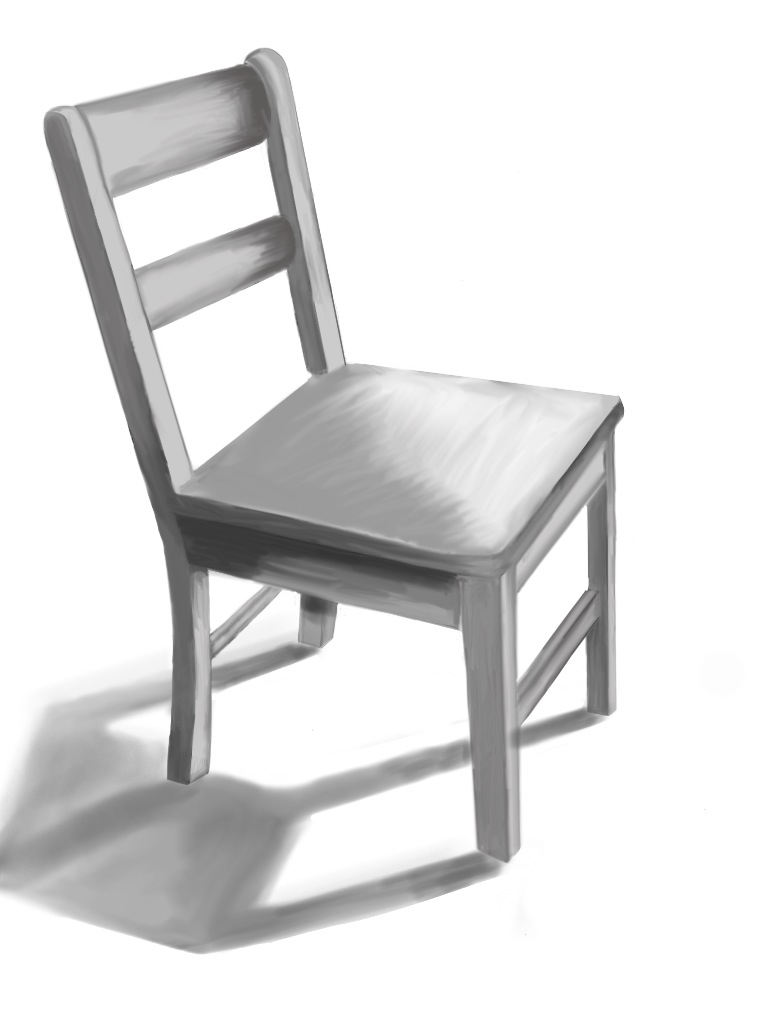
Emilie's drawing, Tara shared that inspired me to contact Emilie

As a follow-up I emailed the student, named Emilie, who kindly answered some questions and sent me drawings. I also emailed Emilie’s art teacher, Manon Lewis to learn more.

Periodically I find myself wondering how my teaching would be different if I were in the classroom today. There are so many wonderful tools and, students thinking is changing rapidly in their world of technology. I understand that this is challenging but also a wonderful gift! (I have to admit I am a bit jealous.) How do you change knowing students are in a very different place and still provide them with the opportunities to learn and grow using the traditional methods?

Below is what I learned through emailing with Manon and Emilie…

Manon:

I introduced Emile to the app “Art Studio” (for her ipad) in Intermediate/Advanced Art class. All of our juniors, seniors (and soon sophomores) have ipads…. (I had been playing around with the drawing program myself, showed her, and she seemed really interested!) Since I give observational drawing homework assignments, I encouraged Emilie to use this program to do her homework. (She loves technology.) We experimented together (first with our fingers–which work quite well) and then with a stylus she created from a very, very fine steel wool (which doesn’t scratch the surface of the the ipad) inserted in a straw or pen casing. The “Art Studio” app is fabulous–so much fun and very versatile–The artist can change colors, textures, value–You can also draw over photos that are imported/or taken directly with the ipad itself…text can also be added…drawn over…lots of rich layering is possible!  Emile really fine tuned (example: use of shadow and light to depict form..) her drawing–asking for input from me as she went along, just as she would on a drawing done directly on a paper surface with graphite…

Emilie:

How did you get started using the ipad to create/draw/make art?
I am on the tech team at school. We got our iPads early to help find uses in classes and help other students when they all got handed out. The chair was a drawing homework that I asked if I could do it on the iPad.

What app are you using on the ipad? Tell me a little about it.
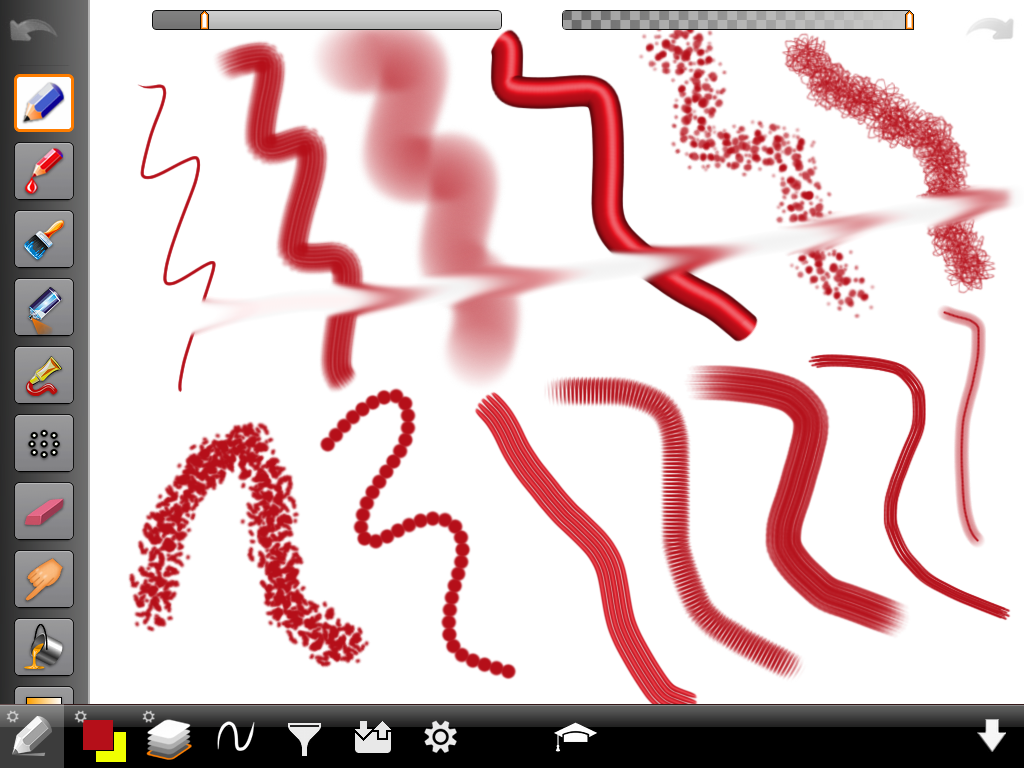
I use art studio. It’s a pretty nice app. It cost about 1.99 you can draw with a pencil, paint, spray paint and my favorite is smudging. You can zoom in and out to do details. You can also change the brush size.

Do you see the ipad as another medium to make art or completely separate?
I think the iPad could become a new medium.

What did you learn in your art courses with Mrs. Lewis that influence what you are creating now on the ipad?
She teaches us about different styles and artists. Most of my drawings are based off artists she has shown me. The first types of drawing I did on the iPad was her drawing homework. Just drawing simple items from different views.

I understand you made your own stylus, can you tell me about how that came about?
My teacher, Mr. Wolotsky showed me a video on YouTube. It had a stylus but it was bulky and looked ugly. So I changed it during engineering class. It works better, looks cooler, and is more durable then the other.

Are you using the ipad only at this point to make art or other tools as well? is what else do you use your ipad for besides drawing? What other learning is taking place with your ipad?
In school I use my iPad for everything. Taking notes, looking up grades, keeping assignments, writing essays and teachers share papers instead of printing them off and handing them out. The iPad is used in every class in some way. Out of school I like to draw, take photographs with it and use the maps app to find we’re I’m going.

You mentioned your engineering class with Mr. Wolotsky. Please tell me about this course.                  I have an engineering class with Mrs. Higgins and an independent study with Mr. Wolotsky. In engineering we learn about all the different kinds of engineers and build stuff. We’ve made solar powered iPod – iPad chargers, an under water robot and are going to make wind turbin blades next. I also have an independent study with Mr. Wolotsky who is the tech teacher. Him and Mr. Calson are in charge of the iPad program. During that period I edit video, help with the green screen, and help with iPads. When creating something for engineering class you have to be creative about how to do this. It takes skill and time to do just like any painting would. And the final piece usually is a piece of art.

Do you have plans for after high school?
I am a junior and plan on going to college for engineering.

What advice would you give to someone starting out with the ipad as an artist tool?
Just play around with all the features. I’ve been using the same app for months and I just found a useful tool last night that I never noticed before. It takes a little while it get used to, but worth it when you get the hang of it.

I look forward to seeing what Emilie (and others) creates on her iPads and with other medium!

Thank you to Tara, Manon, and especially to Emilie for contributing to the meartsed blog!

If you have questions, please post them in the comments section and perhaps Emilie will answer them!

h1

Today’s MLTI Webinar: Multimedia

March 8, 2012

Multimedia in the MLTI Classroom facilitated by Ann Marie Quirion Hutton

March 8, 2012
3:15pm and 7:15pm

Multimedia is rapidly becoming a communication tool for todays students. We have movies and videos everywhere we look. A large part of communication is not just consumption but also authoring. Join us for this hands on webinar. Using tools on your MLTI device we will create our own animations.

Have you ever drawn a picture on your laptop ? Have you ever wanted to make it into an animation? Bring your MLTI device, roll up your sleeves and get ready to create.

Please note: For this webinar, you will need to have your MLTI Device as this will be a “hand-on” webinar! Enjoy!

Join us on Thursday, March 8th at 3:15pm or 7:15pm.  To register, visit http://maine121.org/webcasts and select the webinar/time you wish to participate in – you will be re-directed to online registration.

**We have a new registration system, so please ensure you enter your email address correctly!  Once you register you will receive a confirmation email that contains a login link that will be used the day of the webinar.

h1

Science and Engineering Visualization Challenge

February 27, 2012

February 3, 2012 Science

In a special issue, Colin Norman, News Editor of Science, reports on the entries for the 2011 International Science and Engineering Visualization Challenge.

Metabolomic Eye, Bryan W. Jones (Photography - 1st Place)

The challenge has taken place for the past 9 years and is sponsored by the National Science Foundation and The purpose is to “promote cutting-edge efforts to visualize scientific data, principles, and ideas—skills that are critical for communication among scientists and between scientists and the general public, especially students.”

Imagine, creating images for communication? Sound familiar? This is taken from

Chapter 132 Maine Learning Results: Parameters for Essential Instruction- Visual Arts B3 Making Meaning, Pre-K-2: Students create art works that communicate ideas and feelings and demonstrate skill in the use of meida, tools, and techniques.

This year there were 212 entries from 33 countries. The finalists were selected and posted and visitors were asked to select their favorite. The “People’s Choice” was selected by the 3200 votes that came in. The winners are posted on an online slide show at http://scim.ag/y41Bht or at www.nsf.gov/news/scivis. You can read the entire article at http://www.sciencemag.org/content/335/6068/525.full.

The National Science Foundation encourages entries and the competition opens May 31, 2012. You can find information on their website (2nd link above).

Thank you to my colleague, Peter Bernard, at the Maine Department of Education, for sharing the link to this information.